Tag: cybersecurity
Published on: 10 Jan 2026
Imagine building the ultimate backyard fort as a kid.
You’ve got cardboard walls, a secret password,
and a “no intruders” sign.
But before declaring it unbreakable,
you switch to villain mode:
“How would I sneak in?
Over the fence?
Through the window?
Bribe the guard with candy?”

That’s threat modeling — thinking like an attacker
to protect your apps, systems, or networks before trouble strikes.
Threat modeling systematically identifies, assesses,
and prioritizes risks like vulnerabilities or missing safeguards.
It’s proactive security: adopt the attacker’s mindset during design
to build resilience from the start.
The Four Core Questions Driving Threat Modeling
Every effective threat model relies on these four fundamental questions
(popularized by Microsoft and Adam Shostack):
- What are we building? → Map out the system.
- What can go wrong? → Uncover potential threats.
- What are we going to do about it? → Apply fixes.
- Did we do a good enough job? → Validate and refine.

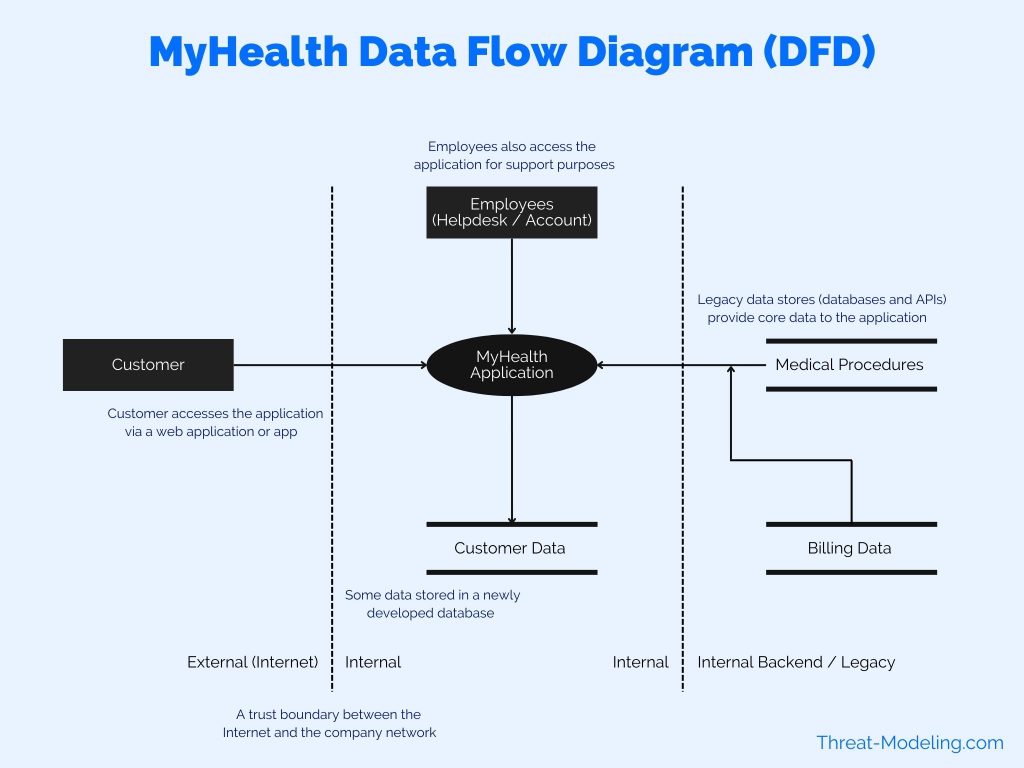
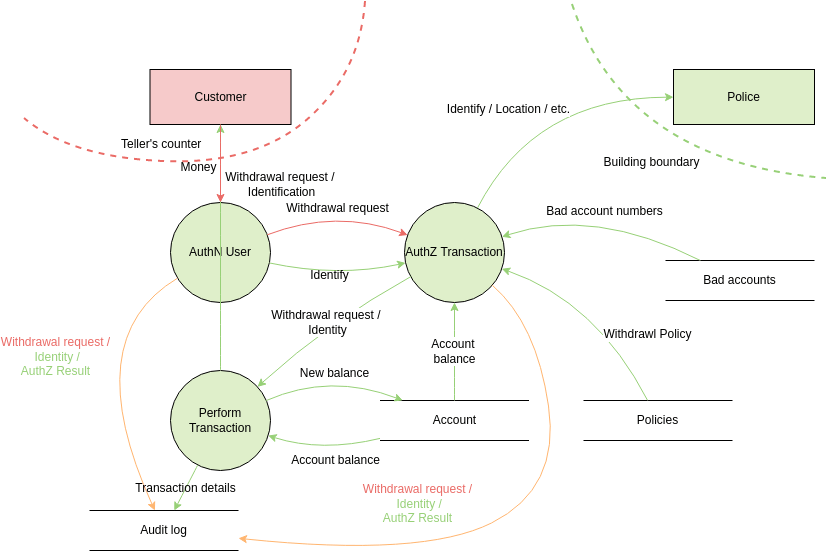
Step 1: Map It Out – Data Flow Diagrams and Trust Boundaries
You can’t secure what you don’t understand.
Start by breaking the system into components
(web servers, databases, APIs, users)
and diagram how data flows between them — Data Flow Diagrams (DFDs).
The key element?
Trust boundaries — lines where data crosses
from untrusted zones (e.g., public internet)
to trusted ones (e.g., internal servers).
Anything crossing must be validated rigorously, like airport security.
Step 2: Hunt for Threats – Meet STRIDE
With the map ready, ask: “What can go wrong?”
STRIDE (Microsoft’s mnemonic) is the go-to framework for spotting threats.
It stands for:
- Spoofing — Impersonation (e.g., phishing to steal a login).
- Tampering — Altering data in transit (e.g., man-in-the-middle attacks).
- Repudiation — Denying an action because there’s no proof (e.g., no audit logs).
- Information Disclosure — Leaking sensitive data (e.g., unencrypted database dumps).
- Denial of Service — Overloading the system so legitimate users can’t access it (e.g., DDoS).
- Elevation of Privilege — Gaining more access than allowed (e.g., guest becomes admin).

Comparing Threat Modeling Frameworks
STRIDE is great, but it’s not the only game in town.
Here’s how it stacks up against others:
-
STRIDE (Microsoft) — Developer-focused, technical threats via mnemonic.
Best for software/apps. Quick and agile. -
PASTA (Process for Attack Simulation and Threat Analysis) — Risk-centric, business-aligned.
7 stages, ties threats to business impact.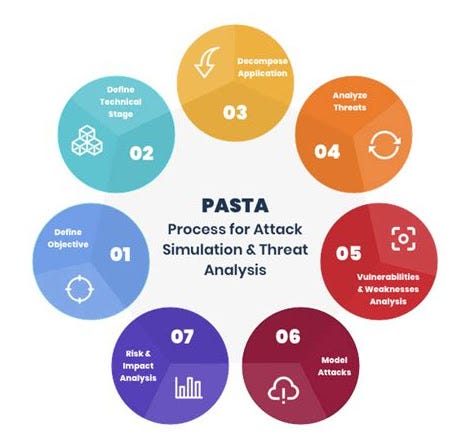
Source: medium.com 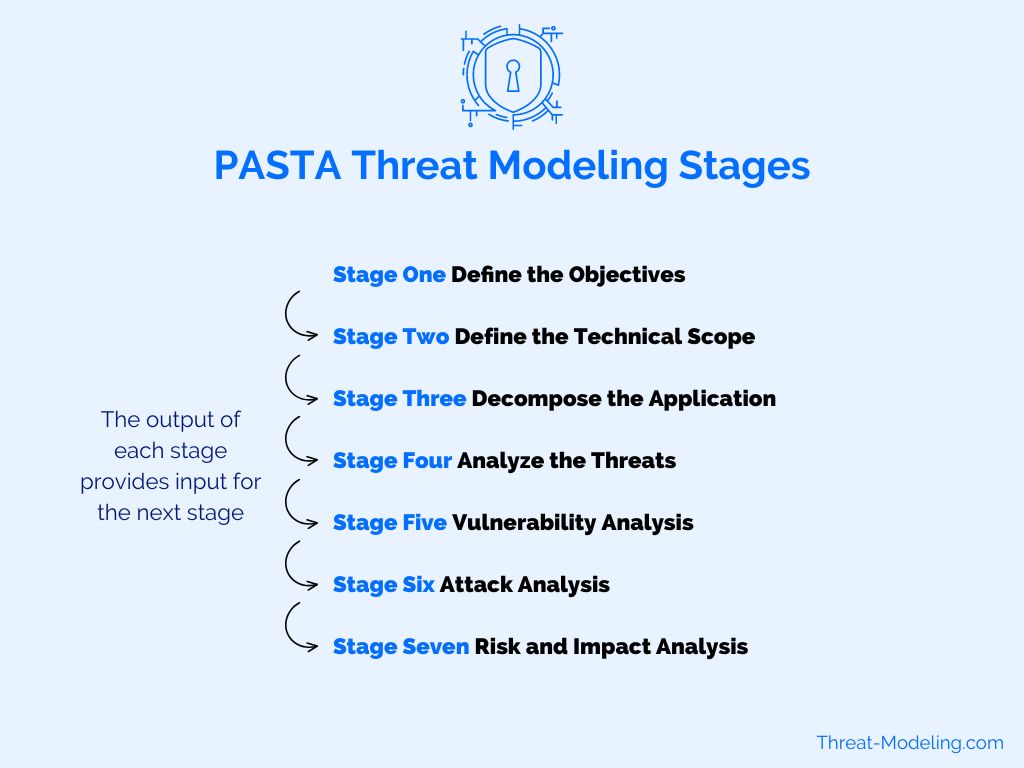
Source: Threat-Modeling.com -
OCTAVE — Organizational, asset-centric risk assessment.
More strategic than technical. -
TRIAGE — Lightweight, quick prioritization for fast teams.
-
LINDDUN — Privacy-focused (Linkability, Identifiability, etc.).

Source: LINDDUN.org
Choose based on your needs: agile dev → STRIDE; business risk → PASTA; org-wide → OCTAVE.
Real-World Impact: Where Threat Modeling Saves the Day
- Banking Apps → Models reveal token theft risks → enforce MFA, biometrics, fraud detection.
- IoT Devices → Expose remote risks → add encryption, device authentication.
- Medical Gear → Prevent life-threatening tampering in insulin pumps and pacemakers.
Tools to Jumpstart Your Threat Modeling Journey
No PhD required — start simple:
-
Miro / Lucidchart — Digital whiteboards with DFD templates.
-
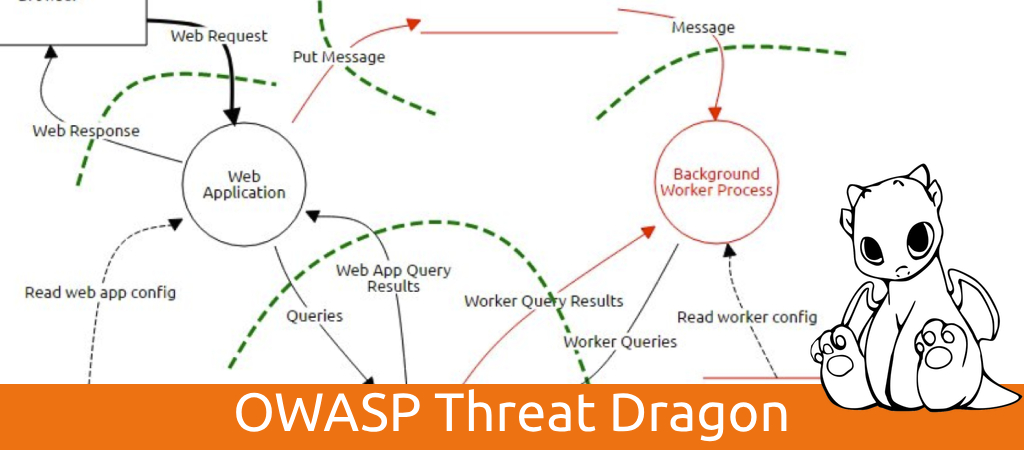
OWASP Threat Dragon — Free, auto-suggests threats.
Source: A Security Engineer -
Microsoft Threat Modeling Tool — Free, beginner-friendly.
-
IriusRisk — Enterprise-grade for living models.
Why It’s Worth the Effort
Fixing flaws in design costs fractions of post-launch repairs
(sometimes 100–6,000× cheaper, per studies).
It’s shifting left: build security in, not bolt it on.


Your Next Move
Threat modeling isn’t paranoia — it’s smart preparation.
Spend a few hours in the attacker’s shoes early,
and you’ll create systems that make real hackers mutter “too hard” and move on.
Start today: sketch your app on a whiteboard,
run the four questions, and watch risks vanish.
We’re only scratching the surface here.
I’m diving deeper down this rabbit hole myself — learning, practicing,
and aiming to become a professional threat model architect and consultant.
Expect more in-depth articles soon: advanced frameworks,
real client case studies (anonymized), tool deep-dives,
and maybe even some war stories from the field.
Stick around if you want to level up with me.
P.S. Have you threat modeled a project?
What was your biggest “aha” moment?
Share below — I read every comment! 👇
#CyberSecurity #ThreatModeling #SecureByDesign #DevSecOps #InfoSec #LearningInPublic